

Every marketer has felt it: the Monday morning stare at a blank document, knowing you need three blog posts, a week of social captions, two email sequences, and a product description — all by Friday. The content machine never stops, but the hours in a day stubbornly remain at 24.
The good news? In 2026, AI-powered content creation has moved well past the “shiny toy” phase. It’s now a practical, measurable part of how marketers at companies of all sizes get work done. The tools are faster, smarter, and more integrated into platforms you already use. The challenge isn’t finding an AI tool anymore — it’s knowing which one to use, when, and how to keep your output sounding human.
This guide cuts through the noise and gives you a concrete, workflow-ready playbook for using AI in your content operations — from ideation to final copy to distribution.
Why 2026 Is a Turning Point for AI Content Tools

The pace of change in this space has been significant. A few things that happened in early 2026 are worth paying attention to as a marketer:
AI is moving inside platforms you already use. Telegram has been rolling out AI-powered editing features — tools built directly into the chat interface that rewrite messages in different tones, fix errors, and compress long texts. Google has been expanding its AI-assisted document creation capabilities within search. The pattern is clear: AI is becoming ambient, not optional.
The underlying models are getting significantly more capable. The latest generation of large language models — including recent Gemini and DeepSeek releases — have made measurable gains on scientific and reasoning benchmarks. For marketers, that accuracy matters when you need AI to write about complex products, regulated industries, or technical topics without hallucinating details.
Autonomous agents are handling full campaign cycles. A growing number of platforms now offer AI agents that take a single creative brief and coordinate text, images, video, and audio production across multiple models. What used to take a small team a week can now be prototyped in hours.
Content platforms are adding AI-native creation flows. Services like Yandex PromoPages have been expanding their AI article generators: paste a product URL, and the system analyzes the product, identifies target audiences, surfaces likely customer objections, and drafts a full article. The output isn’t perfect, but it gives you a structured, research-informed first draft in minutes instead of hours.
The throughline in all of this: AI is no longer a separate step in your workflow. It’s becoming the starting layer.
The Four Content Tasks Where AI Saves the Most Time
Not all content tasks benefit equally from AI assistance. Here’s where the return on your time investment is highest:
1. First Drafts and Outlines
The hardest part of writing is starting. AI eliminates this bottleneck completely. Give a model your topic, target audience, key messages, and desired tone — and in seconds you have a structured draft to react to rather than a blank page to fill. Even if you rewrite 70% of it, you’ve skipped the most cognitively expensive part of the process.
Practical tip: Don’t just prompt for “write an article about X.” Give the model context: who is reading this, what do they already know, what action should they take after reading, what tone fits your brand. The more specific your input, the less editing you’ll do on the output.
2. Variations and Repurposing
You write one long-form piece. AI can turn it into five LinkedIn posts, three email subject line options, a Twitter thread, a short FAQ, and a script for a short video — in under ten minutes. This is where AI creates genuine leverage, not just speed.
3. Audience-Specific Personalization
A product description written for a CFO sounds different from one written for a developer or an operations manager. AI can generate multiple versions of the same core content, each calibrated for a different reader persona — something that would take a human writer hours to do thoughtfully.
4. Research Synthesis and Briefing
AI is effective at reading a set of sources and synthesizing key points into a structured brief or content outline. This speeds up the research phase significantly, though you should always verify specific statistics and claims before publishing.
Building an AI Content Workflow That Actually Works
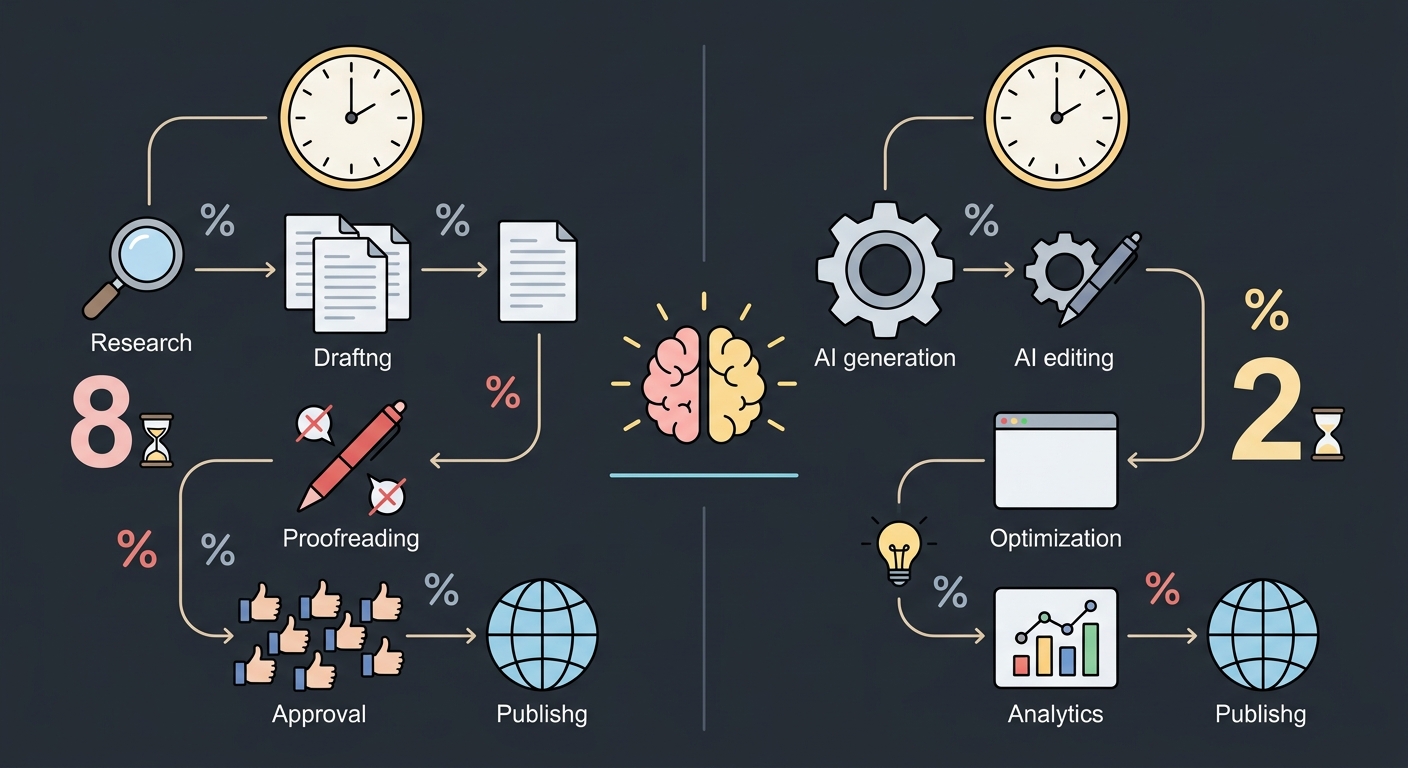
The marketers who get the most from AI aren’t the ones who prompt a model once and publish the output. They’ve built a repeatable system. Here’s a practical framework:
Step 1: Define the Job Before You Pick the Tool
Different AI models have different strengths. Some are better at long-form analytical writing, others at creative and conversational copy, others at generating images from text descriptions. Before you open any tool, write one sentence defining your output: “I need a 600-word product explainer for mid-market HR managers in a confident but approachable tone.” That sentence tells you which model to use and how to prompt it.
Step 2: Use a Multi-Model Approach for Complex Projects
No single AI model is best at everything. A practical content workflow in 2026 often looks like this:
- A strong reasoning model (like Gemini or DeepSeek) for research synthesis and structured drafts
- An image generation model (like Flux 2 Max) for accompanying visuals
- A text-to-speech model for turning key content into audio clips or podcast intros
- A dedicated AI agent for maintaining consistent brand voice across pieces
This is exactly the workflow that OximoAI is built around: instead of maintaining separate subscriptions and switching between apps, you access all of these capabilities from a single Telegram bot. Text, images, audio, and persistent AI agents with memory — all in one place, without needing a VPN or foreign payment methods.
Step 3: Build a Feedback Loop, Not a One-Shot Process
Treat AI like a junior writer: review the draft, identify what’s off, and prompt specifically for revisions. “Make the opening more direct” or “shorten the second paragraph and add a concrete example” works far better than “make it better.” AI responds well to specific editorial direction.
Step 4: Establish a Human Review Gate
AI content without human review is a liability. Set a non-negotiable step where a human checks for: factual accuracy, brand voice consistency, logical flow, and anything that might be outdated. This step doesn’t have to take long — 15 minutes of focused editing on an AI draft often produces better output than 90 minutes of writing from scratch.
A Concrete Scenario: Creating a Week of Content in an Afternoon
Here’s how a solo marketer or small team can use OximoAI to compress a week of content production into a single working session:
The task: Create a week’s worth of content for a SaaS product’s Telegram channel — seven posts, varied formats, with supporting visuals for three of them.
The workflow:
-
Open @OximoAI_bot in Telegram. No app download, no new account — it works where you already are.
-
Set up an AI agent with memory. Give it your brand voice, target audience, and a few examples of posts you like. This agent will remember context across the entire session, so you’re not re-explaining your brand on every prompt.
-
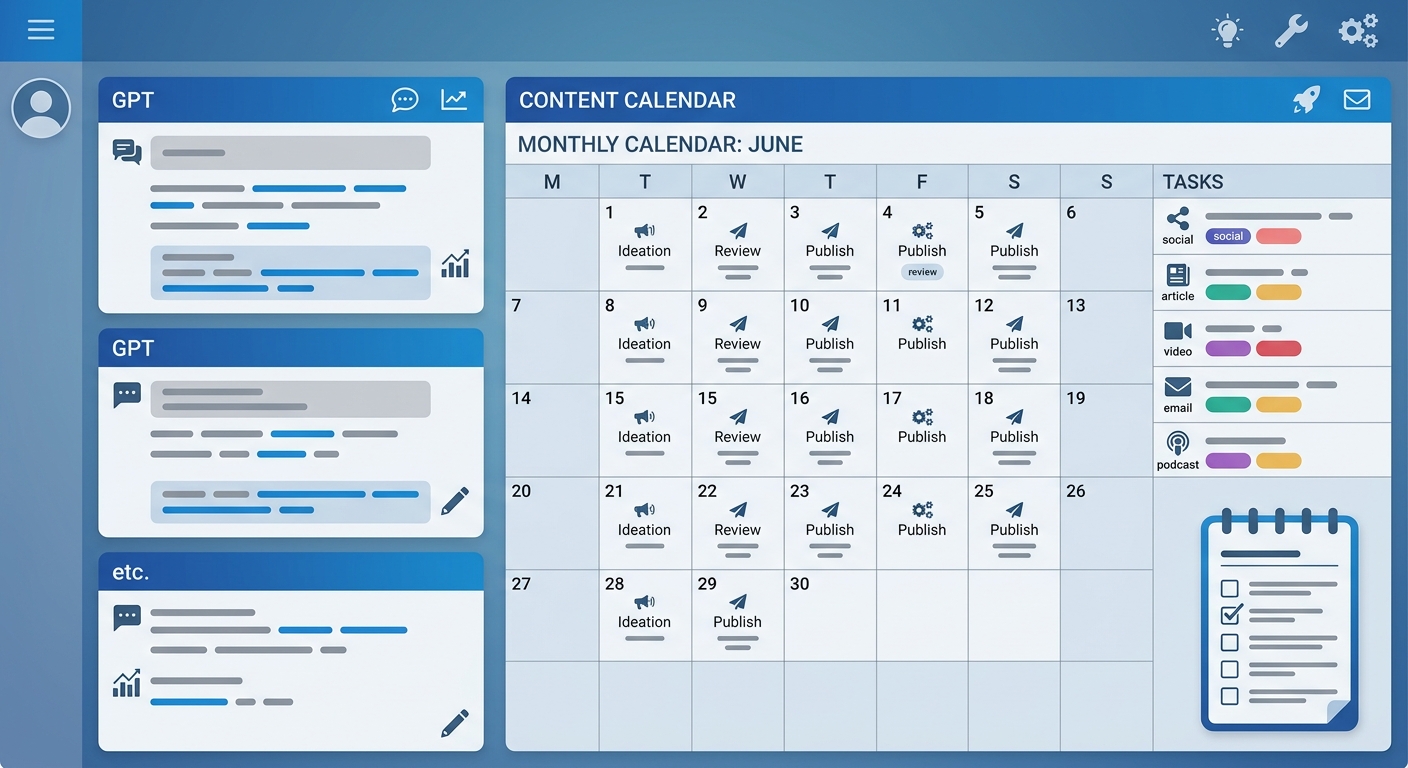
Generate a content calendar. Type: “Create a 7-post content plan for a SaaS tool targeting operations managers. Mix educational posts, product features, and one conversational question.” You get a structured plan in about 20 seconds.
-
Draft each post. Work through the calendar prompt by prompt, using the agent’s memory to keep tone consistent. A 150-word post draft takes roughly 10–15 seconds per generation.
-
Generate visuals. For posts that need images, switch to image generation and select a model (Flux 2 Max for photorealistic results, or a different style for illustrated content). Describe the image, choose your aspect ratio, and get results in about 15 seconds.
-
Export and schedule. Copy the finalized posts into your scheduling tool of choice.
Total time for seven posts with three custom visuals: roughly 90–120 minutes, including review and editing. The same output would typically take a full working day to produce manually.
This isn’t a hypothetical — it’s the workflow that OximoAI’s growing community of SMM managers and content creators is already using. The free plan gives you 30 coins at signup (no credit card required) to try the full workflow yourself.
What AI Still Can’t Do (And Where You Still Add Value)
It’s worth being honest about the limits, because understanding them makes you better at using the tools:
AI doesn’t know your business. It doesn’t know that your last product launch underperformed, that a specific customer segment is your highest LTV cohort, or that your CEO hates the word “synergy.” That institutional context has to come from you — ideally baked into your prompts or your AI agent’s system instructions.
AI reflects patterns, not judgment. A model might write a technically correct but strategically wrong piece of content — one that’s polished but misses the actual point you need to make. The strategic layer is yours.
AI can date itself quickly. Models have knowledge cutoffs and may miss recent events, industry shifts, or competitor moves. Always verify that time-sensitive claims reflect current reality.
AI-generated visuals have tells. For high-stakes brand work, AI images often need human art direction or touching up. Use them as starting points, not finished assets, for anything going to print or high-visibility placements.
The marketers who thrive with AI are those who treat it as an accelerant for their own thinking, not a replacement for it.
Getting Started: Your First Week With AI Content Creation
If you’re new to AI-assisted content, here’s a low-risk, high-return starting plan:
Day 1–2: Pick one repeatable content task (weekly newsletter, social captions, product descriptions) and run your next batch through an AI model. Compare the time spent and the quality of the output honestly.
Day 3–4: Experiment with multi-model workflows. Use a text model for the copy, an image model for visuals. Notice where handoffs feel smooth and where they create friction.
Day 5–7: Set up a persistent AI agent for your main content format. Give it your brand guidelines, audience profile, and a few example pieces. Use it as your default starting point for a week and refine the instructions as you go.
The goal at the end of week one isn’t to automate everything — it’s to find the two or three tasks where AI saves you the most time with the least quality trade-off. Build from there.
Conclusion
AI-powered content creation in 2026 isn’t about replacing marketers — it’s about changing what marketers spend their time on. The hours you save on first drafts, repurposing, and variation generation are hours you can reinvest in strategy, audience research, and the creative work that actually requires human judgment.
The tools are accessible, the learning curve is shorter than most people expect, and the cost of experimentation is low.
If you want to start today without setting up multiple accounts or navigating a new platform, OximoAI is the fastest way in. All the major AI models — Gemini, DeepSeek, Llama, Flux, and more — are available in a single Telegram bot, with 30 free coins when you start, no credit card required.
→ Try your first content task now: https://t.me/oximoai_bot